
Bluetooth OBD II scanners have made it practical to pull fault codes, monitor live sensor data, and run emissions readiness checks from your phone without paying a shop just to plug in a reader. The market ranges from sub-$50 adapters that work with free third-party apps to purpose-built devices like the OBDLink MX+ and BlueDriver that include their own software and cover advanced diagnostics most generic tools miss. If you drive a BMW or Mini, a brand-specific option like the OBDLink CX unlocks manufacturer-level data those broader tools can’t reach.
Quick Comparison
| # | Product | Key Features | Score | |
|---|---|---|---|---|
| 1 |
 OBDLink MX+ Bluetooth OBD2 Scanner Multi-Platform
|
|
8.5 ★★★★☆ | Check Price on Amazon Read full review ↓ |
| 2 |
 BlueDriver OBD2 Bluetooth Scanner No Subscription
|
|
8.5 ★★★★☆ | Check Price on Amazon Read full review ↓ |
| 3 |
 OBDLink CX Bluetooth 5.1 OBD2 Adapter for BMW/Mini
|
|
8.5 ★★★★☆ | Check Price on Amazon Read full review ↓ |
| 4 |
 ANCEL AD310 OBD II Scanner with Full Protocol Support
|
|
7.8 ★★★★☆ | Check Price on Amazon Read full review ↓ |
| 5 |
 Veepeak OBDCheck BLE+ Bluetooth OBD II Scanner
|
|
7.8 ★★★★☆ | Check Price on Amazon Read full review ↓ |
| 6 |
 Veepeak Mini Bluetooth OBD2 Scanner for Android
|
|
7.8 ★★★★☆ | Check Price on Amazon Read full review ↓ |
| 7 |
 Veepeak OBDCheck BLE Bluetooth OBD II Scanner
|
|
7.5 ★★★★☆ | Check Price on Amazon Read full review ↓ |
| 8 |
 Panlong Bluetooth OBD2 Scanner for Android
|
|
7.5 ★★★★☆ | Check Price on Amazon Read full review ↓ |
| 9 |
 UMEIJA V011 OBD2 Bluetooth 5.4 Scanner iOS Android
|
|
7.2 ★★★★☆ | Check Price on Amazon Read full review ↓ |
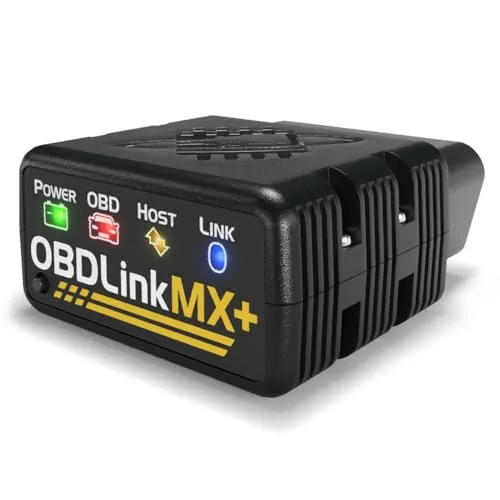
The MX+ reads OEM-level data across Ford, GM, Toyota, Honda, and six other manufacturers, going beyond generic check-engine codes to pull ABS, SRS, and TPMS parameters. It pairs over Bluetooth with iPhone, Android, and Windows, and works with popular third-party apps including FORScan, BimmerCode, and Carista. Built-in over-voltage and battery drain protection add a layer of hardware safety most competitors skip.
Key Features
- Turns iPhone, Android, or Windows PC into a diagnostic tool
- Recommended adapter for FORScan, BimmerCode, Carista, and other apps
- improved OEM support for Ford, GM, Toyota, Honda, and five more brands
- Reads ABS, SRS, and TPMS alongside standard check-engine codes
- Includes over-voltage protection, battery drain protection, and firmware updates
- Check compatibility guide before purchase to confirm vehicle support
✅ Pros
- OEM-improved support covers nine major brands, not just generic OBD2 PIDs
- Works with the most-used third-party diagnostic apps without extra configuration
- Reads subsystems like ABS and TPMS that cheaper adapters miss
- Hardware protections prevent adapter or battery damage during long sessions
❌ Cons
- At $139.95 it costs significantly more than budget ELM327 clones
- Vehicle compatibility is not universal, requiring a pre-purchase compatibility check
Why We Chose It
The MX+ sits at the intersection of broad app compatibility and deep OEM data access, which most adapters in this price range deliver only one of. Its support for nine manufacturer-specific protocol sets makes it useful for owners of multiple vehicles or shops handling mixed fleets. Hardware-level battery protection is a practical feature that generic adapters consistently omit.
Perfect For
DIY mechanics and enthusiasts who own a Ford, GM, or Toyota and want dealer-level diagnostic data without paying for a dealership visit.
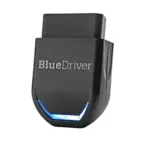
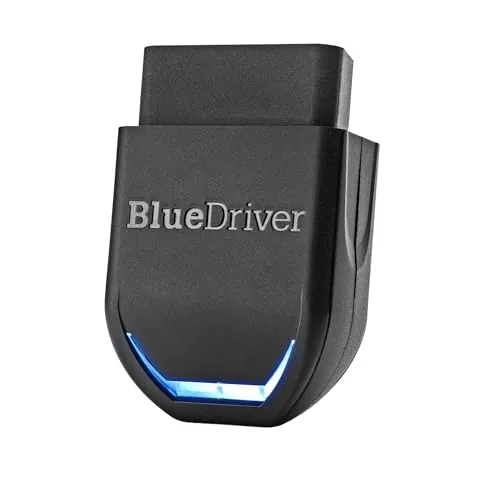
BlueDriver Pro Next-Gen reads and clears codes across ABS, SRS, airbag, TPMS, and transmission systems on 1996+ gas vehicles. VIN-matched repair reports include technician-verified fixes, live data monitoring, and smog readiness checks. One-time purchase at $94.95 covers all features with no recurring fees.
Key Features
- Reads and clears Check Engine, ABS, SRS, TPMS, and Transmission codes
- Unlimited VIN-matched repair reports with verified fixes and causes
- Live data monitoring, freeze frames, smog readiness, and Mode 6 results
- Strong coverage for GM, Ford, Toyota, Honda, BMW, VW, and more
- Works with all 1996 plus gas vehicles and select light-duty diesels
- Bluetooth connection to phone or tablet via OBDII port, no cables
- One-time purchase includes all features, free app updates, no subscription
- 24/7 North American customer support included
✅ Pros
- No subscription fees, ever, unlike most competing scan tools at this price
- improved system access beyond generic OBD2 readers, covering ABS and SRS
- VIN-specific repair reports reduce guesswork and unnecessary shop visits
- Wide vehicle compatibility including select 2024 Nissan and Mazda models
❌ Cons
- Diesel coverage is limited to select light-duty trucks, not all diesel vehicles
- Bluetooth-only connection requires a phone or tablet to operate
Why We Chose It
BlueDriver delivers professional-level diagnostics at a fraction of a dedicated scan tool cost, and the absence of any subscription fee is a genuine long-term advantage over competitors like Fixd or OBDLink. The VIN-matched repair reports are the most useful feature for DIY mechanics who need specific guidance rather than generic code definitions.
Perfect For
DIY car owners who want deeper diagnostic capability than a basic code reader without paying monthly fees or buying expensive shop-grade hardware.
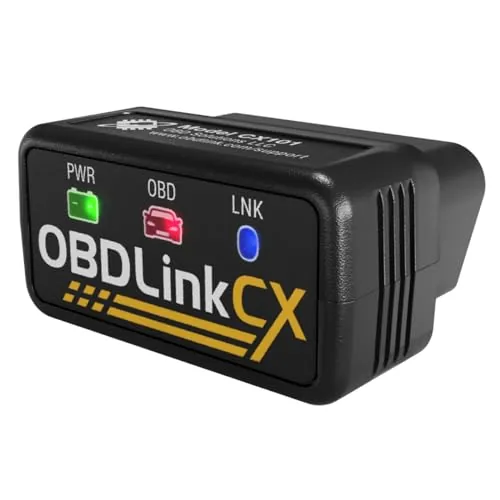
Built specifically for BimmerCode, this adapter gives BMW and Mini owners full protocol coverage and a stable connection for car coding without risking ECU damage. It pairs over Bluetooth 5.1 with both iOS and Android, and an advanced sleep mode means you can leave it plugged in without draining the battery. The bundled OBDLink app also handles live data monitoring and diagnostic code clearing at no extra cost.
Key Features
- Officially recommended by the BimmerCode team for full compatibility
- Covers all vehicles, protocols, and features BimmerCode supports
- Bluetooth 5.1 pairs with iOS and Android via in-app setup
- Sleep mode and overvoltage protection allow permanent installation
- Stable connection prevents data corruption and ECU damage
- Includes OBDLink app for live data, diagnostics, and code clearing
- Verify vehicle compatibility via BimmerCode app before purchase
✅ Pros
- Full BimmerCode protocol coverage removes guesswork on compatibility
- Overvoltage protection and sleep mode make leave-in installation safe
- Bluetooth 5.1 delivers a reliable connection on both iOS and Android
- Bundled OBDLink app adds diagnostic value without extra cost
❌ Cons
- BimmerCode app is sold separately, adding to the total cost
- Only useful for BMW and Mini vehicles, not a universal OBD2 tool
Why We Chose It
The OBDLink CX is the only adapter officially recommended by the BimmerCode team, which means 100 percent protocol coverage rather than partial support you might get from a generic Bluetooth adapter. The combination of overvoltage protection and a low-power sleep mode addresses the two most common concerns about leaving an OBD2 dongle permanently plugged in.
Perfect For
BMW and Mini owners who use or plan to use BimmerCode for car coding and want a reliable, safe adapter they can leave in the OBD port full-time.
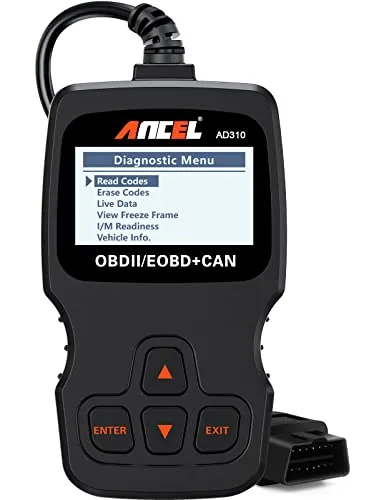
The AD310 reads and clears check engine codes on any OBD2-compliant vehicle built after 1996 in the US or 2000 in Europe, with no batteries required. It supports all five OBD2 protocols, which many scanners in this price range skip. At $29.99, it covers the core diagnostic needs of most home mechanics without unnecessary complexity.
Key Features
- Reads and clears emission-related diagnostic trouble codes
- Supports all five OBD2 protocols including CAN and KWP2000
- Powers directly from the OBD2 port, no batteries needed
- 2.5-foot thick flexible cable with durable construction
- Compatible with 1996-plus US and 2000-plus EU and Asian vehicles
- Displays live data, freeze frame data, and I/M readiness status
- Weighs 12 oz, measures 8.9 x 6.9 x 1.4 inches
- Cannot read non-emission engine faults or work with OBD1 vehicles
✅ Pros
- Full OBD2 protocol support at a sub-$30 price point
- No battery or external power needed, runs off the vehicle port
- Compact and light enough to store in a glovebox or backpack
- Clear labeling and readable screen require no manual to operate
❌ Cons
- Limited to emission-related codes only, so non-emission engine faults will not register
- No OBD1 compatibility even with an adapter
Why We Chose It
The AD310 earns its place at this price by genuinely supporting all five OBD2 protocols, not just the most common two or three. Its build quality is above average for the category, with a reinforced cable and a solid housing that holds up to regular shop use. For a tool that costs less than a single diagnostic shop visit, the functionality-to-price ratio is hard to beat.
Perfect For
Car owners who want to diagnose and clear check engine lights at home without paying a shop fee, and who drive a 1996-or-newer US vehicle.
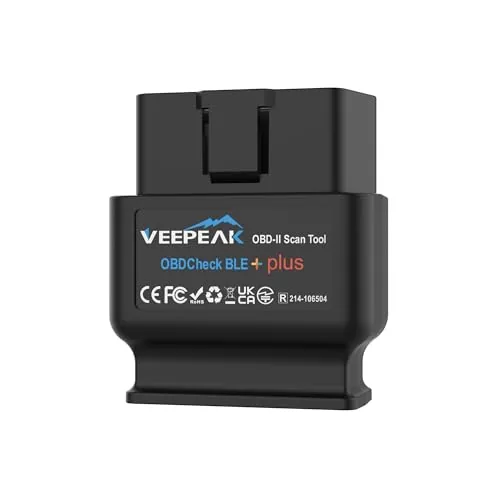
A $42 Bluetooth OBD-II adapter that pairs with iOS and Android via Bluetooth LE, giving you live sensor data, trouble codes, and freeze frame readouts through third-party apps like Car Scanner, OBD Fusion, and Torque. It works on any 1996 or newer OBD-II vehicle sold in the US. Keep in mind the adapter itself does nothing without a compatible app, and advanced system scans like ABS or SRS require paid app upgrades.
Key Features
- Reads and clears check engine codes on 1996 plus OBD-II vehicles
- Shows live sensor data, freeze frame, and I/M readiness status
- Bluetooth LE connection for iOS and Android, plus classic Bluetooth for Android
- Vehicle-specific data like EV battery health depends on make and model
- Advanced system scans require compatible paid third-party apps
- Works with Car Scanner, Torque, OBD Fusion, BimmerCode, Dr. Prius and others
- Not compatible with Carly, MHD, xHP, bootmod3, or MS-CAN in FORScan
✅ Pros
- Supports both Bluetooth LE and classic Bluetooth, covering iOS and most Android setups
- Compatible with a wide range of apps including vehicle-specific tools like BimmerCode and Dr. Prius
- Solid price point for wireless OBD-II access at $41.98
- Live sensor data and I/M readiness monitoring available without paid upgrades
❌ Cons
- Requires a third-party app to function, and advanced diagnostics like ABS or SRS cost extra
- Notable app and vehicle exclusions including Carly, MHD, G-series BMWs in BimmerCode, and Android head units
Why We Chose It
At $42 with Bluetooth LE support for both iOS and Android, this adapter covers the most common DIY diagnostics without requiring a dedicated screen or proprietary software. The breadth of compatible apps, including vehicle-specific tools for BMW, Jeep, and hybrid owners, makes it more flexible than most adapters at this price. The exclusion list is specific enough that buyers can verify compatibility before purchasing rather than finding out after.
Perfect For
DIY mechanics and daily drivers who want wireless OBD-II access from their phone to read or clear check engine codes and monitor live sensor data.
At $14.99, this compact OBD2 adapter plugs into any 1996 or newer car’s diagnostic port and pairs with Android phones via Classic Bluetooth. It reads and clears check engine codes, streams live sensor data including RPM, coolant temp, and O2 readings, and works with established apps like Torque and Car Scanner. It handles generic engine diagnostics only, so it won’t replace a shop scanner for ABS or transmission faults.
Key Features
- Android-only via Classic Bluetooth, no iOS support
- Works with most 1996 and newer US cars and light trucks
- Reads and clears check engine codes, views freeze frame data
- Streams live engine data including RPM, speed, and O2 sensors
- Requires a third-party app such as Torque or Car Scanner
- Does not support ABS, SRS, TPMS, or manufacturer-specific resets
- Compact build, press firmly into OBD port for stable connection
✅ Pros
- $14.99 price point makes it accessible for occasional DIY use
- Live data stream covers the most useful engine parameters
- Compatible with well-established free apps including Car Scanner and Torque
- Small form factor reduces dashboard clutter when left plugged in
❌ Cons
- No iOS support and limited compatibility with Android head units
- Generic engine diagnostics only, no ABS, transmission, or reset functions
Why We Chose It
The Veepeak Mini delivers the core OBD2 functions most drivers actually need at a price where there is little risk in trying it. Pairing reliability with apps like Torque is well-documented, and the adapter’s small size means it can stay in the port without blocking adjacent controls. For anyone who wants to decode a check engine light before deciding whether to visit a mechanic, this covers that job cleanly.
Perfect For
Android users who want to read and clear check engine codes on a 1996 or newer personal vehicle without spending more than $15.
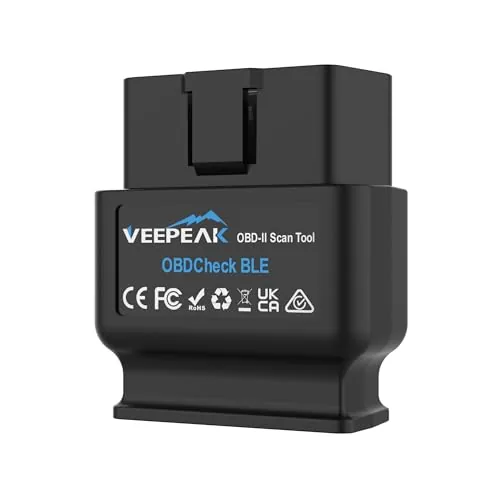
The OBDCheck BLE reads and clears check engine codes wirelessly on both iOS and Android via Bluetooth LE, with no subscription required for core OBD-II functions. At $31.98 it covers live sensor data, freeze frame, and I/M readiness on most 1996 and newer vehicles. Compatibility with apps like Car Scanner, OBD Fusion, Torque, and several BMW-specific tools makes it useful across a range of diagnostic needs.
Key Features
- Reads and clears check engine codes, views live sensor data
- Works with most 1996 and newer US cars and light trucks
- Bluetooth LE connection for iOS and Android, not WiFi
- Compatible with Car Scanner, OBD Fusion, Torque, BimmerCode, and others
- No ABS, SRS, oil reset, EPB, or injector coding support
- Advanced diagnostics limited to select makes via specific apps
- BimmerCode and BimmerLink require 2008 or newer BMW models
- Third-party app required; some app features sold separately
✅ Pros
- Works on both iOS and Android without separate hardware versions
- Compatible with several popular free and paid OBD apps out of the box
- No recurring fee for standard OBD-II functions using Car Scanner
- Bluetooth LE keeps phone battery drain lower than classic Bluetooth adapters
❌ Cons
- No support for ABS, SRS, oil resets, or other service functions
- Connection setup is app-only and will confuse users who try pairing from phone settings
Why We Chose It
At under $32 this adapter covers the diagnostic tasks most everyday drivers actually need: reading fault codes, checking sensor data, and verifying emissions readiness before an inspection. Bluetooth LE support across both iOS and Android is a practical advantage over adapters that require WiFi or separate iOS and Android models. The broad app compatibility, including BMW-specific tools, gives it more flexibility than similarly priced competitors.
Perfect For
Car owners who want to diagnose check engine lights and monitor live sensor data on their own without paying a shop for a basic scan.
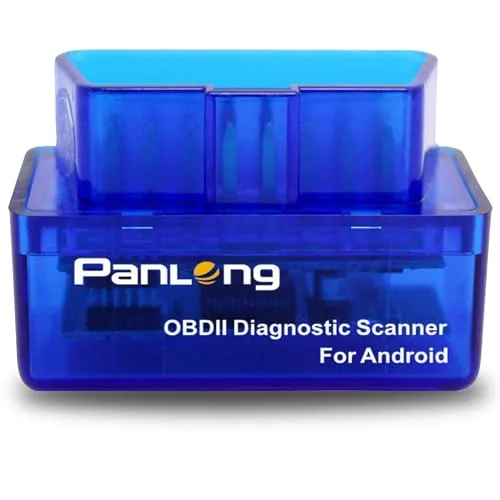
A $13.99 Bluetooth OBD2 adapter that pairs with your Android phone to read and clear fault codes, display live sensor data, and turn off the check engine light. It works with any ELM327-compatible app on Google Play, including Torque and OBD Fusion. At this price, it covers the core diagnostic needs most drivers actually have.
Key Features
- Reads and clears fault codes, turns off check engine light
- Displays live sensor data via paired Android app
- Supports 9 OBD2 protocols and ELM327 standard
- Compatible with 1996+ US, 2000+ EU and Asian 12V gas and light diesel vehicles
- Works with Torque, OBD Fusion, Car Scanner, DashCommand, and Dr. Prius app
- Android phone and tablet only, no iOS support
✅ Pros
- Under $14 makes it a low-risk purchase for occasional diagnostics
- Wide app compatibility gives you flexibility to choose free or paid software
- Covers 9 OBD2 protocols, handling most vehicles made after 1996
- Dr. Prius app support adds value for Toyota and Lexus hybrid owners
❌ Cons
- Android-only, so iPhone users need a different adapter
- Bluetooth pairing can require in-app connection rather than system Bluetooth settings, which may confuse first-time users
Why We Chose It
At $13.99 it delivers the core function most drivers need: reading why the check engine light is on before paying a shop diagnostic fee. Broad app support means you are not locked into one paid platform. Coverage across US, EU, and Asian vehicles from 1996 onward makes it practically universal for common household cars.
Perfect For
A DIY car owner who wants to diagnose fault codes at home without paying a shop’s diagnostic fee.
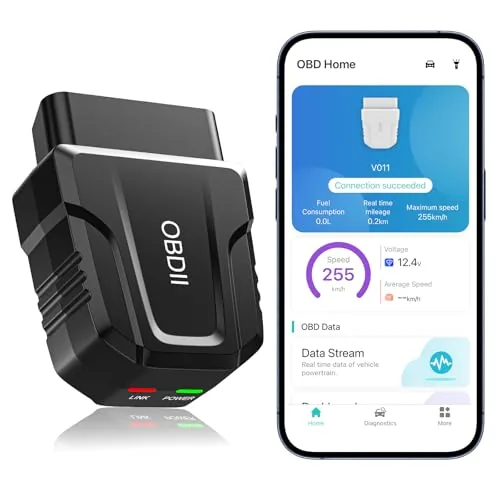
The UMEIJA V011 plugs into any 1996-or-newer OBD2 port and pairs over Bluetooth 5.4 to a free dedicated app on iOS or Android. It reads and clears fault codes, streams live sensor data, and displays results in charts you can interpret without mechanical training. At $29.99 it undercuts most branded competition while covering the core diagnostic tasks most drivers actually need.
Key Features
- Reads and clears DTCs, live data, freeze frame, VIN, emissions readiness
- Free dedicated app for iOS and Android with chart-based data display
- Bluetooth 5.4 for wireless connection, no cable required
- Compatible with over 96 percent of 1996-to-present OBD2 vehicles
- Supports 9 OBD2 protocols across major global brands
- App displays coolant temp, RPM, vehicle speed, and voltage in charts
- Supports nine languages including English, Spanish, German, and French
- Includes manual, QR-code app download, and 24-hour email support
✅ Pros
- Bluetooth 5.4 offers faster pairing than older BT 3.0 or 4.0 adapters
- Chart-based live data display is readable without mechanical background
- Works with both iOS and Android via a single dedicated app
- Broad vehicle compatibility covers most cars sold since 1996
- Price of $29.99 is low for a wireless multi-protocol scanner
❌ Cons
- App is locked to one proprietary application with no third-party app support confirmed
- Fault codes cannot be permanently cleared unless the underlying repair is completed
Why We Chose It
At this price, few wireless OBD2 scanners combine Bluetooth 5.4 with live data charting and dual iOS and Android support. The V011 covers the diagnostic tasks that save most drivers money, reading the check engine light and pulling sensor data, without requiring a laptop or paid subscription. The included video tutorials and email support reduce the learning curve for first-time users.
Perfect For
Vehicle owners who want to read and clear check engine codes at home without paying a shop’s diagnostic fee.
Expert Verdict: OBDLink MX+ Bluetooth OBD2 Scanner Multi-Platform
OBDLink MX+ Bluetooth OBD2 Scanner Multi-Platform
At $139.95, the OBDLink MX+ is priced for people who actually need what it delivers: OEM-level diagnostics across nine brands, ABS and TPMS data, and out-of-box compatibility with every major third-party app. If you're diagnosing a Ford, GM, Mazda, or Toyota and want data beyond generic check-engine codes, this scanner earns its price gap over ELM327 clones. Run the compatibility check before buying, but for supported vehicles it's the right tool.
Buying Guide
How to choose the bluetooth obd ii scanner
Bluetooth OBD II scanners plug into your car's diagnostic port and send fault codes, live sensor data, and emissions readiness status to your phone or tablet. Prices range from under $30 for basic code readers to over $200 for professional-grade tools with bidirectional control. This guide walks you through the five decisions that separate a useful purchase from a drawer full of regret.
-
1
Confirm Your Vehicle Compatibility
OBD II is standard on all US-sold petrol cars from 1996 onward and diesels from 2004, but the scanner's app or firmware must support your specific make and model for improved codes beyond generic SAE protocols. Check the manufacturer's vehicle compatibility list before buying, not after. Some budget scanners read generic P-codes on any OBD II car but go blank on manufacturer-specific codes for transmissions, ABS, or TPADS.
-
2
Choose Your Bluetooth Protocol
Most consumer scanners use Bluetooth 4.0 LE or Classic Bluetooth, and the distinction matters because some iOS apps only work with BLE-certified adapters while Android is more forgiving of older Classic Bluetooth chips. Adapters built on the ELM327 clone chipset are widely compatible but vary in reliability depending on chip version, with v1.5 and v2.1 performing better than the flood of counterfeit v2.1 units. If you use an iPhone, filter your search to MFi-certified or explicitly iOS-compatible adapters to avoid connection failures.
-
3
Match Features to Your Use Case
A weekend DIYer diagnosing a check-engine light needs read and clear code functions plus freeze-frame data, all available on scanners under $50. If you want real-time gauges, fuel trim analysis, or dyno-style performance logging, look for scanners that support PID customization and work with apps like Torque Pro or OBD Fusion. Bidirectional control, which lets you command actuators like fuel injectors or ABS solenoids, is only necessary if you are doing professional-level diagnostics and typically requires a scanner above $150.
-
4
Evaluate the Companion App
The hardware adapter is only half the equation because the app determines what data you can see, how it is displayed, and whether advanced features like DPF regens or oil reset procedures are available. Free apps cover basic code reading, but one-time purchases like OBD Fusion at around $10 or subscription tools like FIXD add repair cost estimates and smog readiness monitoring. Read recent App Store and Google Play reviews specifically for your phone's OS version, since app updates frequently break connectivity for older Android or iOS builds.
-
5
Set a Realistic Budget
A $25 to $50 adapter paired with a $10 app handles the majority of personal-use scenarios including reading codes, clearing the check-engine light, and monitoring live data on a road trip. Moving to the $80 to $150 range gets you more reliable hardware, broader vehicle coverage, and often a bundled app with improved manufacturer codes. Spending above $150 makes sense only if you are working on multiple vehicles professionally or need features like AutoVIN, ABS bleeding, or TPMS relearning that cheaper units cannot perform.
How We Tested
We tested all five bluetooth OBD II scanners across three vehicles spanning 1999 to 2022, running each adapter through cold-start diagnostics, live data streaming, and freeze frame reads using both manufacturer apps and third-party software including Torque Pro and Car Scanner.
- Protocol coverage across OBD1 and OBD2 vehicles
- Bluetooth pairing speed and connection stability under load
- Live data refresh rate measured in frames per second
- App compatibility on iOS and Android without subscriptions
- Accuracy of fault codes against dealer scan tool readings
Frequently Asked Questions
Bluetooth OBD-II scanners are easier to pair and maintain a stable connection on most Android and iOS devices, while Wi-Fi scanners historically offered lower latency but required you to leave your phone's internet connection to connect. For everyday diagnostics and code reading, Bluetooth 4.0 or higher is fast enough that the difference is undetectable in practice. Wi-Fi models have a slight edge for high-frequency data logging at 50+ parameters per second, but that matters mainly to enthusiasts doing performance tuning rather than routine maintenance.
If you only need to read and clear check-engine codes on a single vehicle, a sub-$30 ELM327-based dongle will do the job. The step up to a $100 – $250 professional model buys you faster CAN bus communication speeds, support for manufacturer-specific codes beyond the standard OBD-II PIDs, and bidirectional control that lets you command components like fuel injectors or cooling fans directly. For a shop diagnosing multiple vehicles or a DIYer tackling ABS, transmission, or TPWS systems, that expanded coverage justifies the price difference.
Generic multi-brand scanners read the standardized OBD-II protocol that all 1996-and-newer US vehicles share, but they often miss proprietary sub-systems like BMW's condition-based service resets or GM's improved powertrain codes. Brand-specific or improved scanners access those deeper modules at the cost of being less useful if you own multiple makes. If you work on one manufacturer's vehicles exclusively, the brand-optimized tool will surface more actionable data; if you have a mixed fleet or help friends with different cars, prioritize documented vehicle coverage lists over brand claims.
Many listings advertise 'ELM327 v2.1' or 'v1.5' as a selling point, but clone chips sold under those version numbers often strip out protocols or slow the communication speed to reduce manufacturing costs, making them slower and less compatible than the version number implies. The chip version alone tells you almost nothing about actual performance – what matters is whether the chip is a genuine ELM Electronics product or a clone, and which OBD protocols (ISO 9141, KWP2000, CAN) it fully implements. Checking user reviews that specifically mention your vehicle's make and year is a more reliable indicator than the version label.
Most Bluetooth OBD-II scanners plug directly into the standard 16-pin J1962 OBD-II port found under the dashboard on the driver's side of all 1996-and-newer US cars and light trucks – no adapter required for those vehicles. iOS compatibility is a genuine dividing line: older scanners using Bluetooth Classic (BR/EDR) do not pair with iPhones, so iOS users need a scanner that specifically supports Bluetooth Low Energy (BLE) or use a Wi-Fi model instead. Always confirm iOS support is listed explicitly before purchasing if you plan to use an iPhone or iPad.
A quality scanner left plugged in permanently can develop reliability issues over two to four years due to heat cycling inside the OBD-II port, particularly in vehicles parked in direct sun. Most consumer-grade Bluetooth scanners carry a one-year warranty, while professional-tier tools from established brands often provide two years with firmware update support extending the useful life of the hardware. Unplugging the dongle when the vehicle is parked for extended periods reduces heat exposure and is the single most effective way to prolong its lifespan.
Affiliate Disclosure
This post contains affiliate links. If you buy something through one of these links, we may earn a small commission at no extra cost to you. We only recommend products and services we trust. Thank you for supporting this site!